
Business software
born from
the reality of the field.
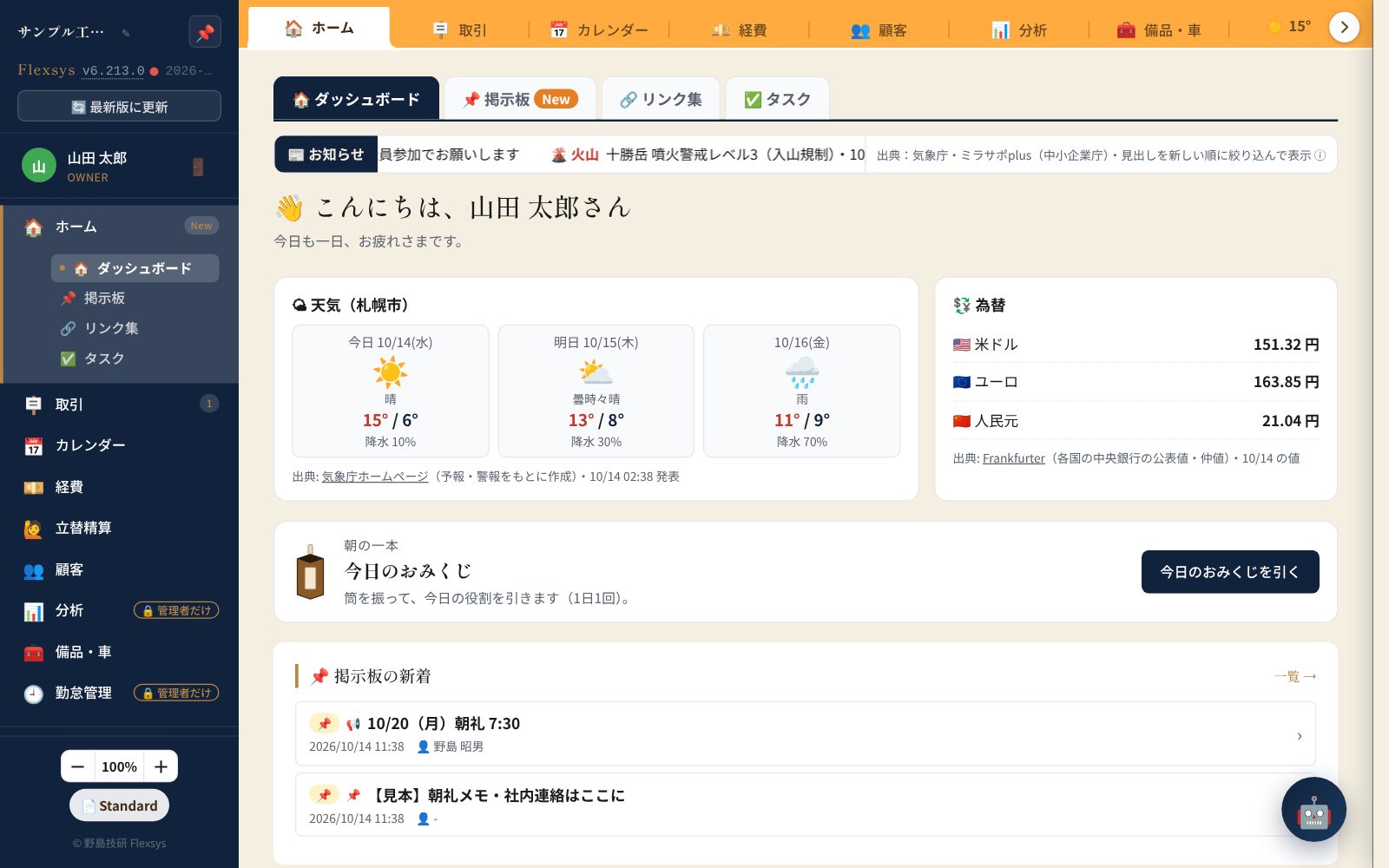
Flexsys is a field operations system that Nojima Giken develops and runs in-house for its own field work — a field business system designed for every business that goes on site and writes estimates and invoices: handymen, electricians, plumbers, renovators, landscapers, house cleaners and more. From issuing estimates, invoices and receipts to customer management, a job calendar, AI-OCR for expenses and job photo sharing, it brings a small company's paperwork together in one place.¥2,980/month for up to 30 users, with a 90-day free trial (no card required).
※ "Try it without signing up" is a demo where you can use the real screens with a sample company (no email address needed; anything you enter is deleted automatically after 24 hours. Some features such as AI and sending email are available in the 90-day free trial, no card required).
※ The first 90 days are free and no card is required. Only if you want to continue, register a card during the trial. We email you 30, 7 and 3 days before it ends, and if no card is registered by the end date, the account stops automatically (no charge).
Wouldn't you like to make
paperwork like this easier?
Your Challenges
Estimates and invoices
in Excel or by hand are a pain
Renumbering every document and copy-pasting items each time. Month-end eats up your time.
Customer information
is scattered and hard to find
Phone numbers in email, addresses on paper, past estimates buried in folders. You can't pull up what you need right away.
Expense receipts
pile up or go missing
They pile up in your wallet, you photograph them and save them somewhere, then type them all in at month-end — with typos and misreadings.
Job photos
are hard to share with customers
Attaching photo after photo to emails, or losing quality on LINE. Hard to keep as a work record, and hard to build trust.
All of it — Flexsys brings it together in one place
One board and four areas
bring your paperwork together
Feature Overview
Documents
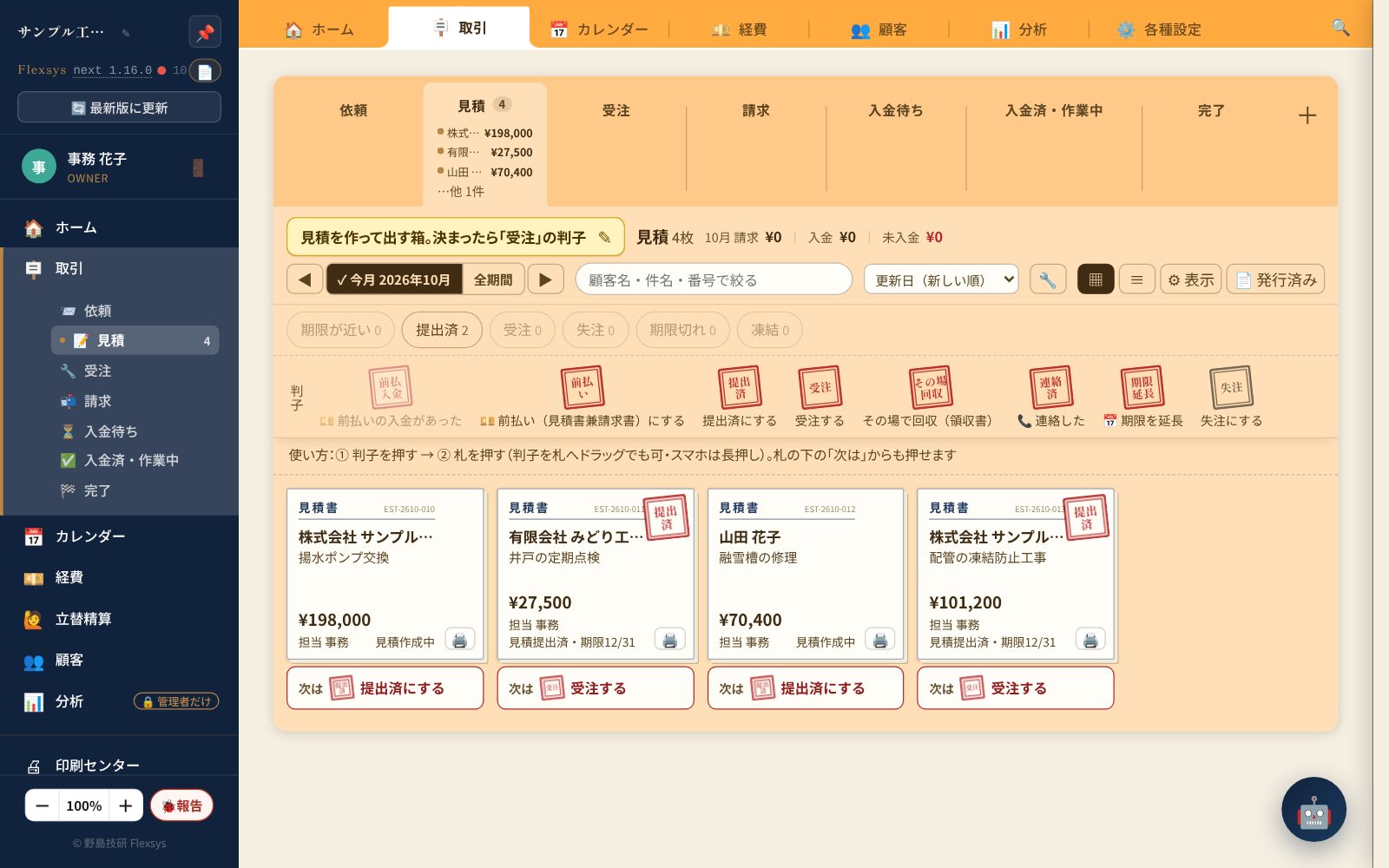
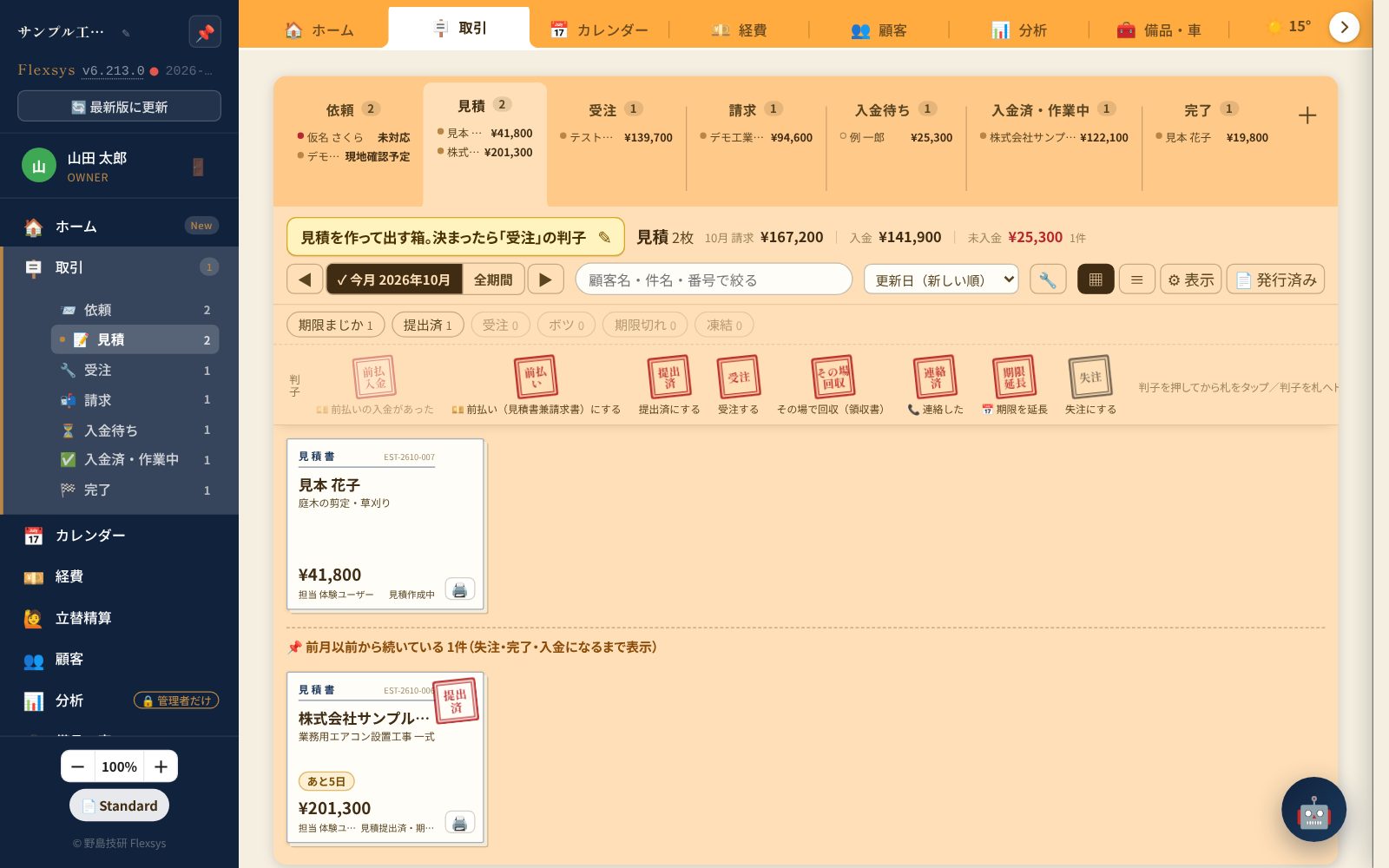
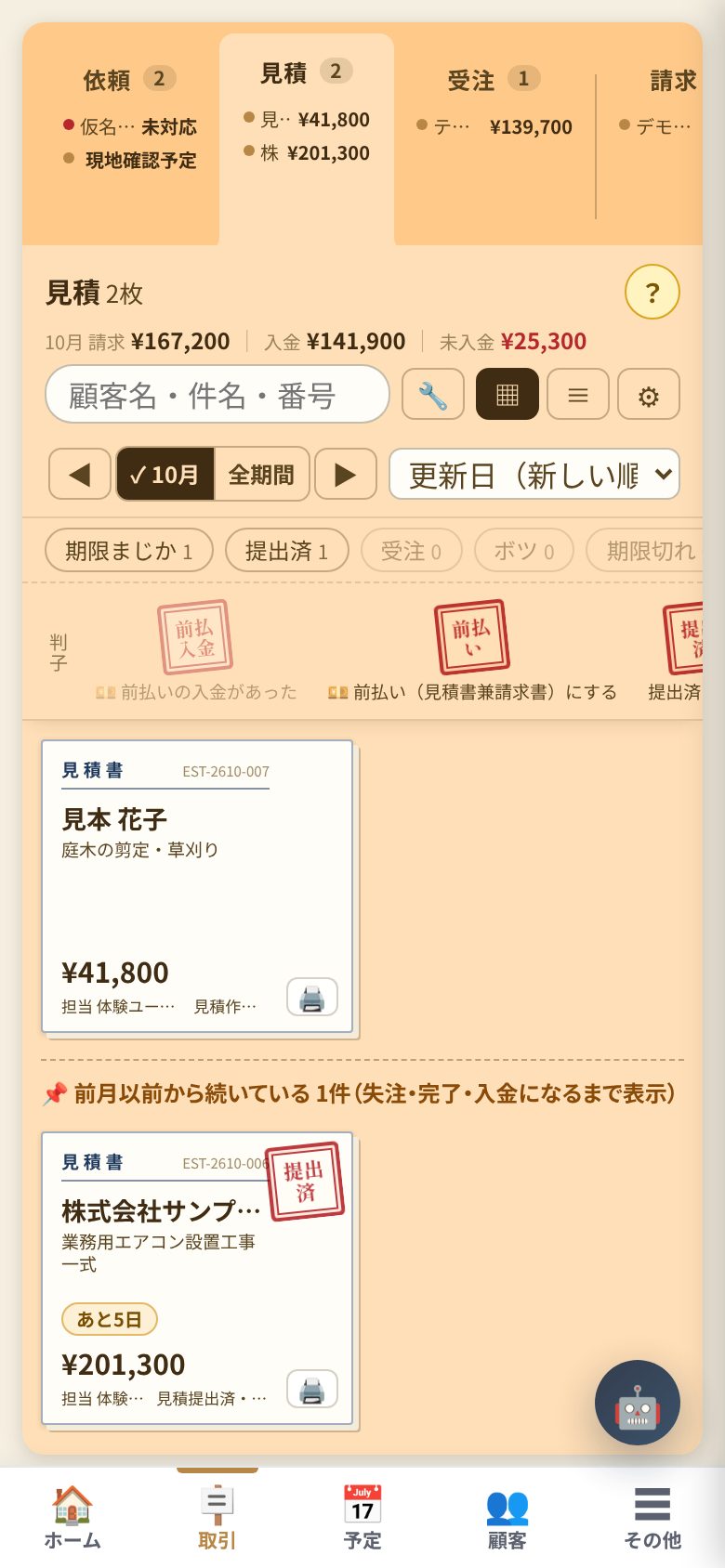
- Deal board: estimate → work → invoice → payment → done, with "cards" and "stamps"
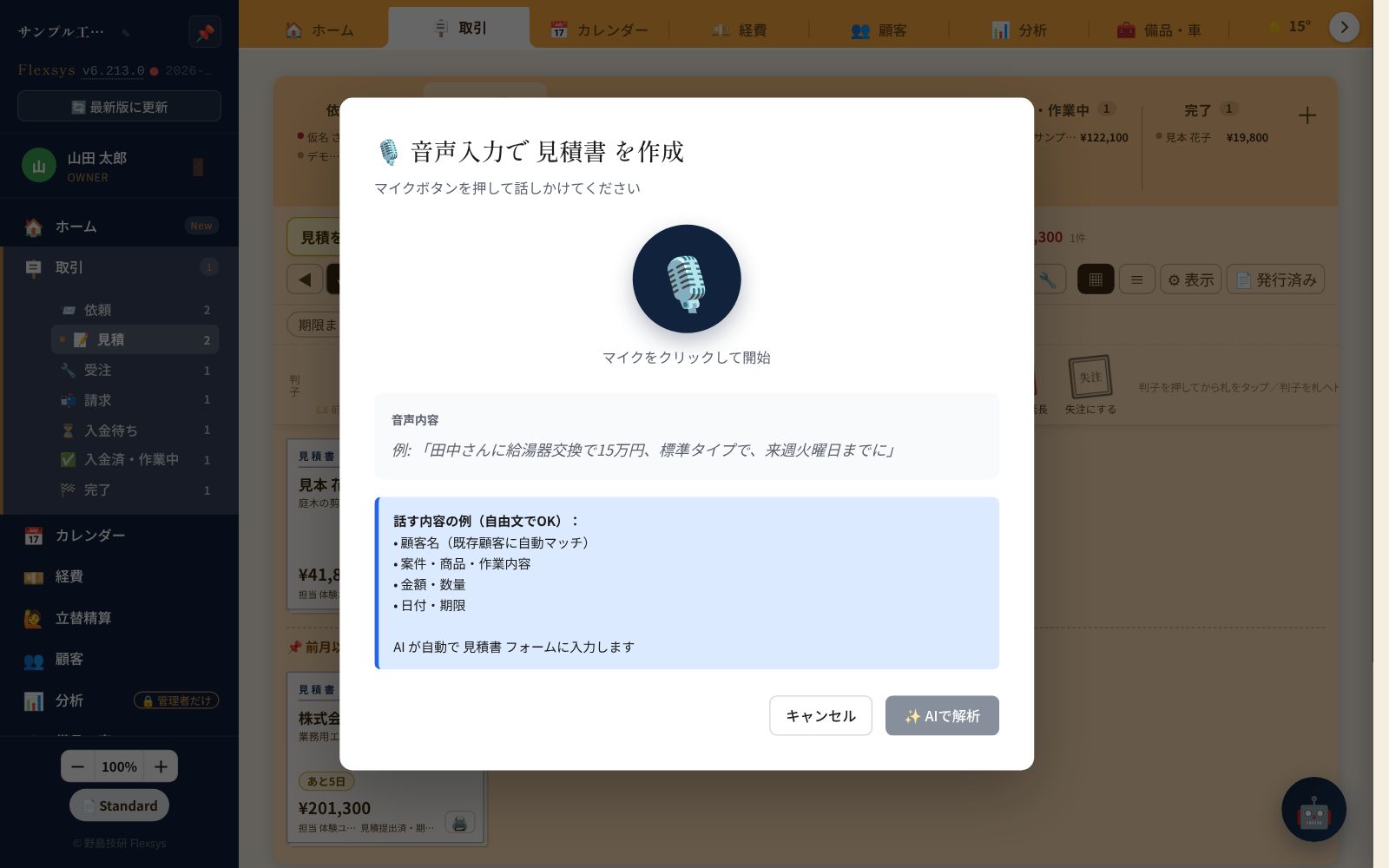
- Create estimates, invoices and receipts (voice input too)
- Collect on the spot (collect payment on site → invoice + receipt at once)
- Monthly recurring invoices (confirmation email → send with one button)
- Automatic numbering, issue lock, PDF, time-limited share links
- Record of what was sent (mail, email, hand delivery, even PDFs made elsewhere — per customer)
Customers & jobs
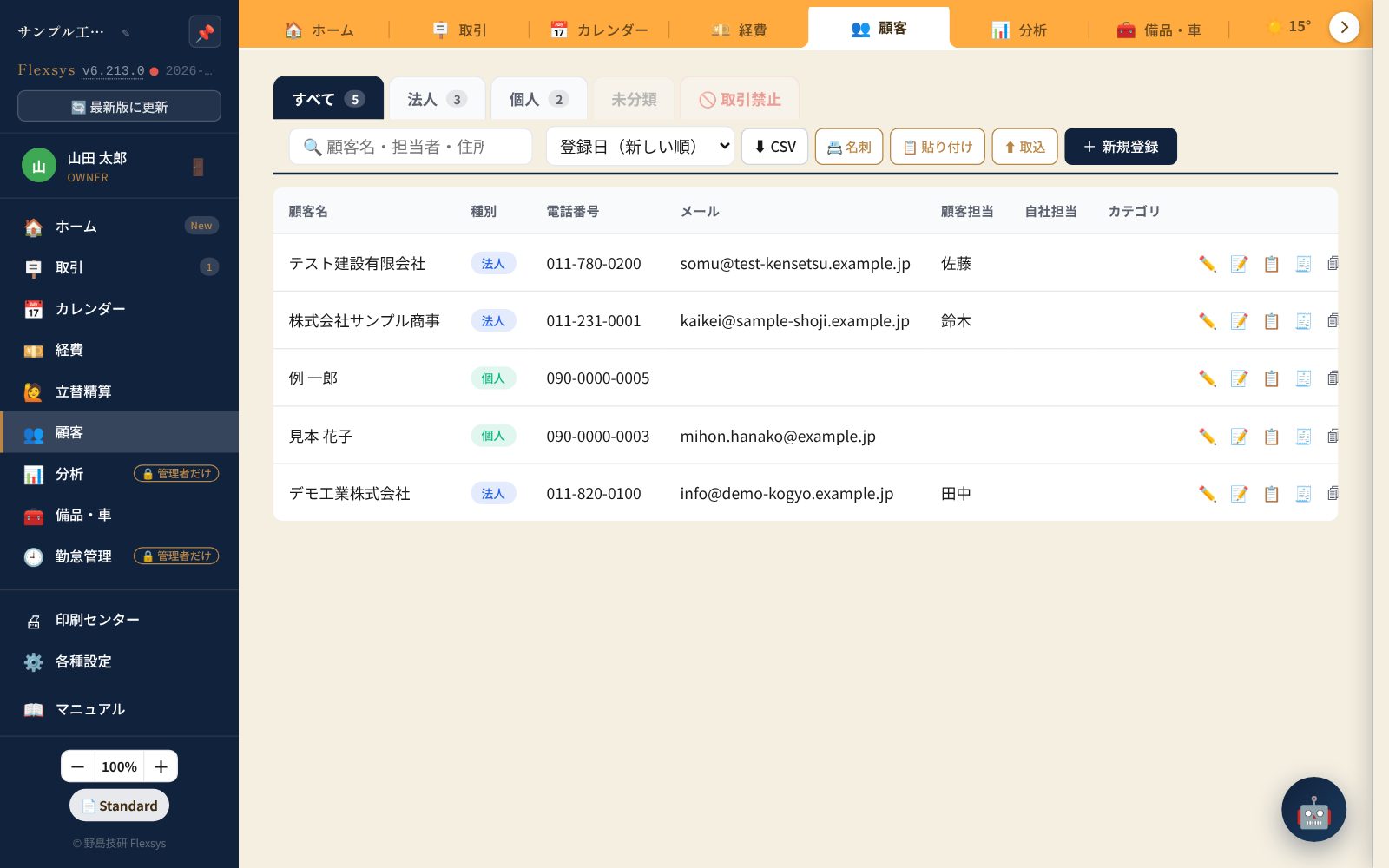
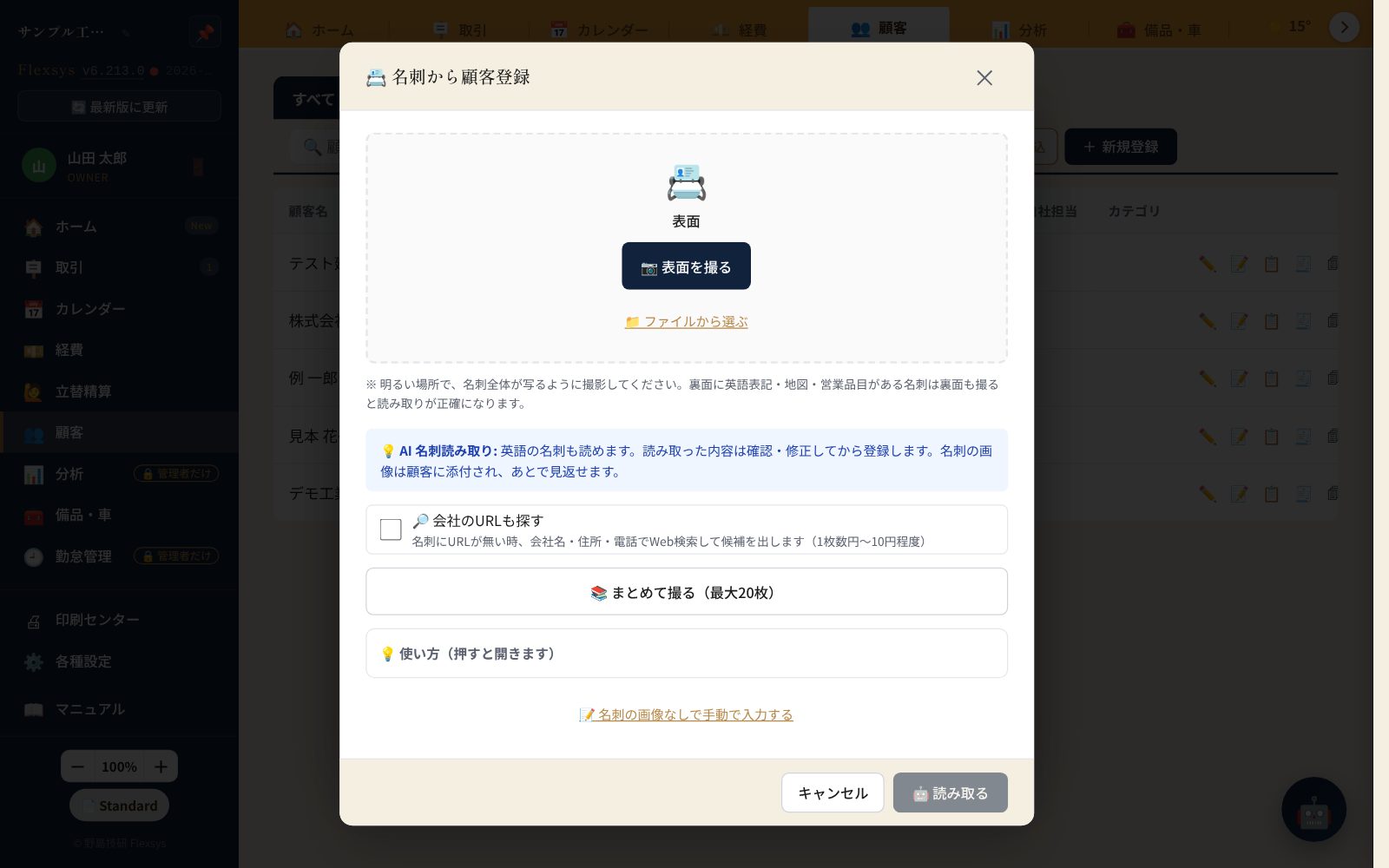
- Customer ledger (business/individual, caution flag, business card OCR)
- Schedule calendar (short names without company suffixes; AI-entered events marked "unconfirmed")
- Shared tasks (deadline, assignee, photos, map)
- QR sharing of job photos
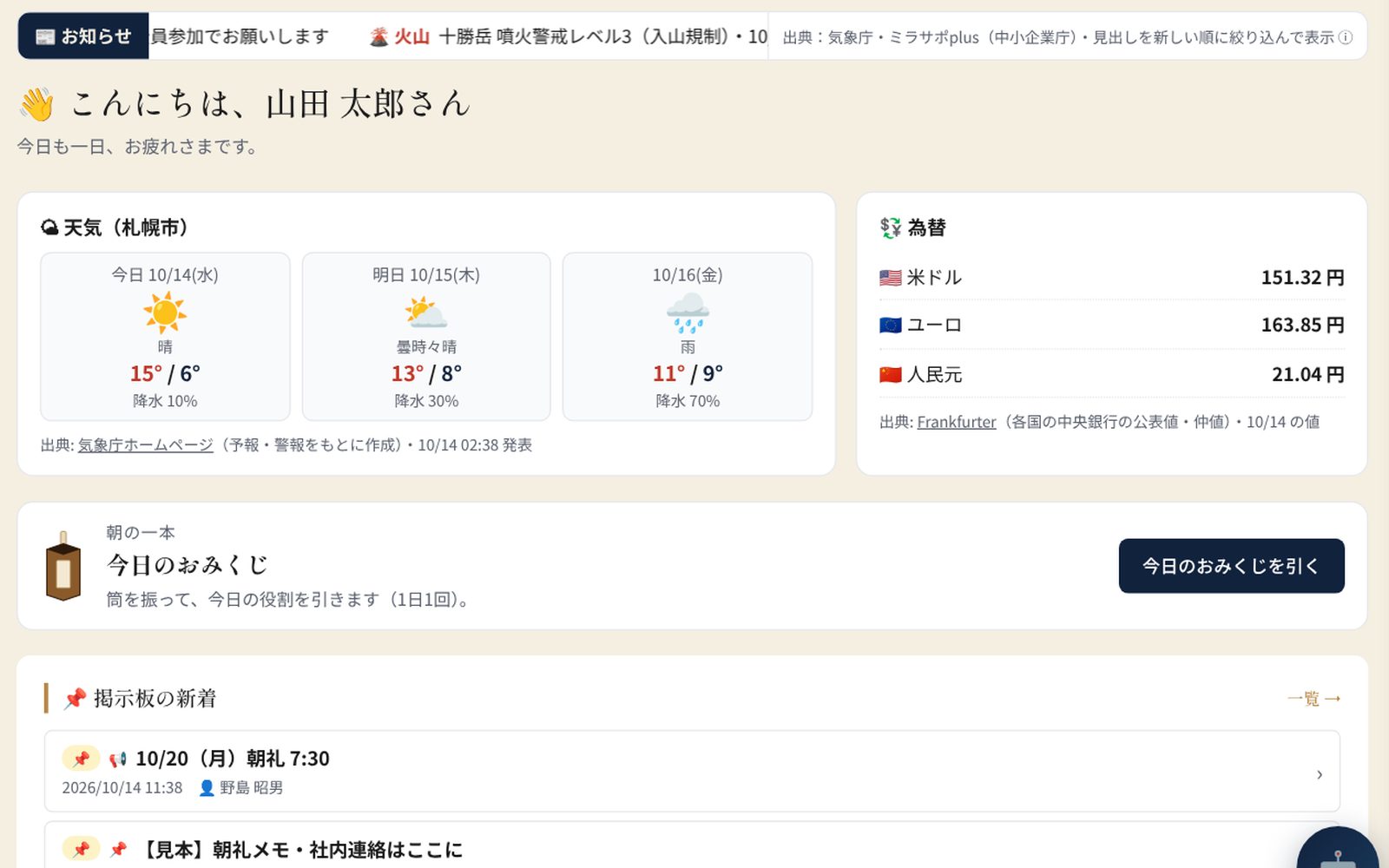
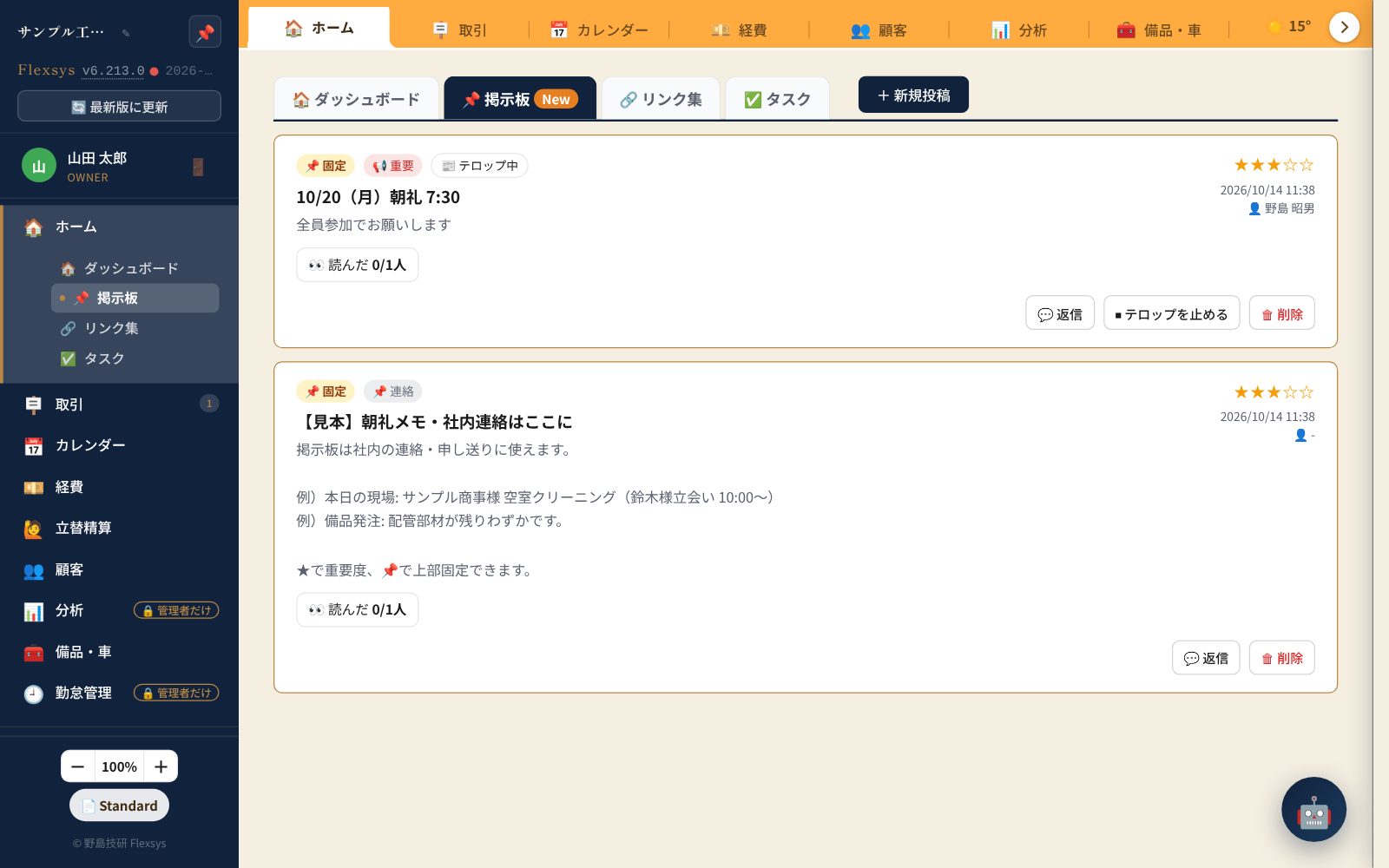
- Bulletin board, link collection, news ticker (weather, volcanoes, public information)
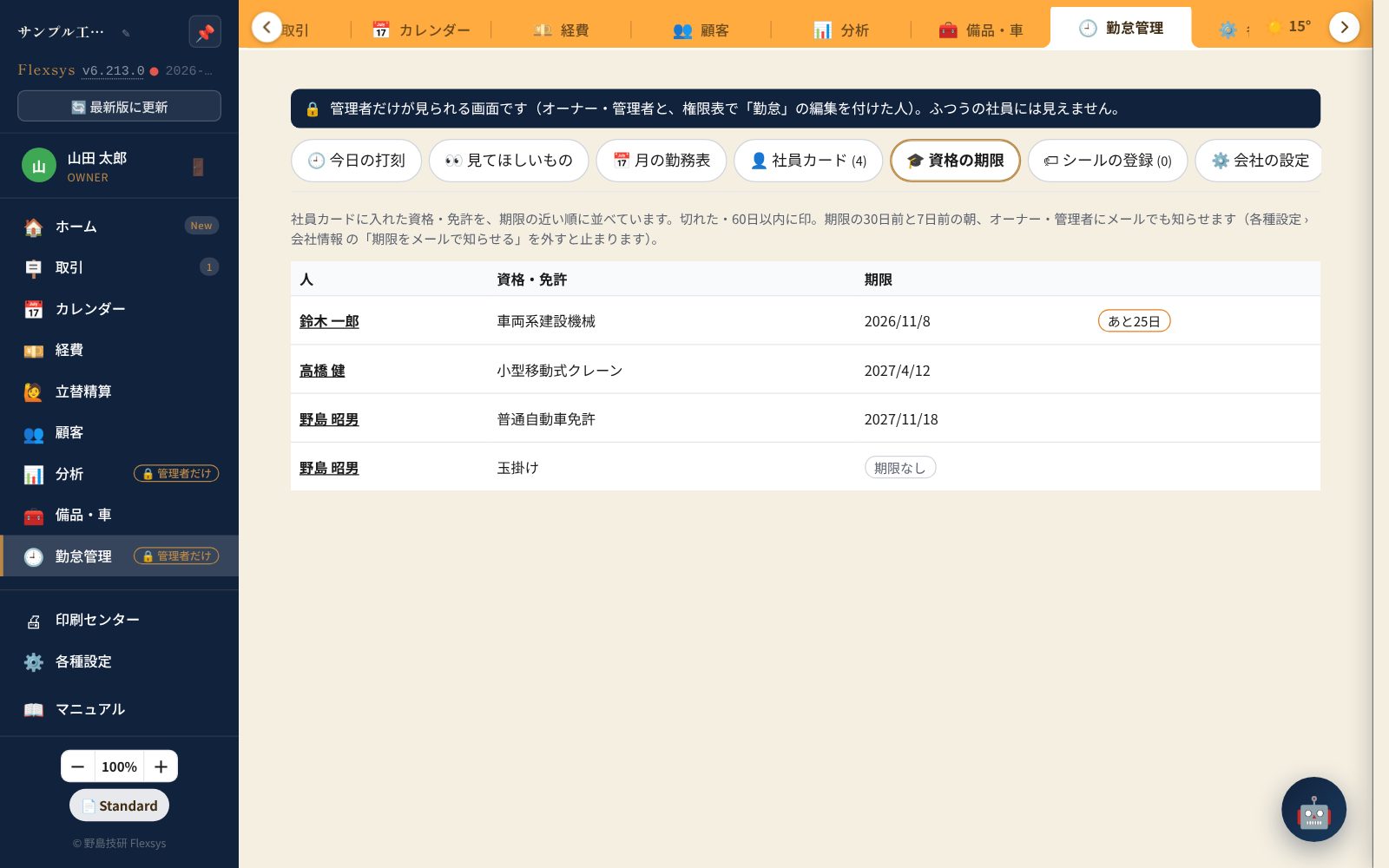
- Attendance and qualification expiry (coming soon)
Money management
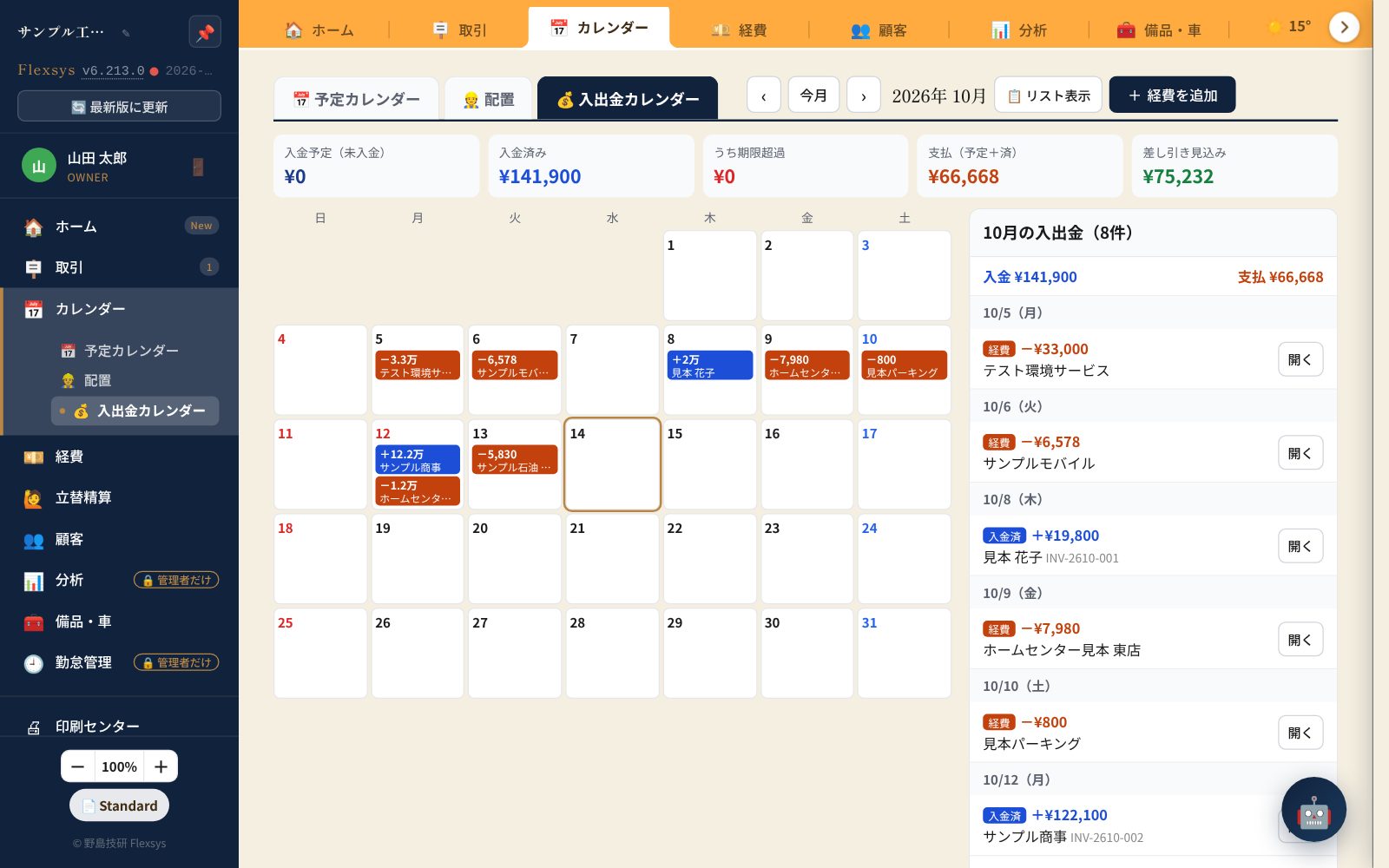
- Cash-flow calendar (expected income, scheduled payments, balance)
- Email alerts to managers for overdue invoices
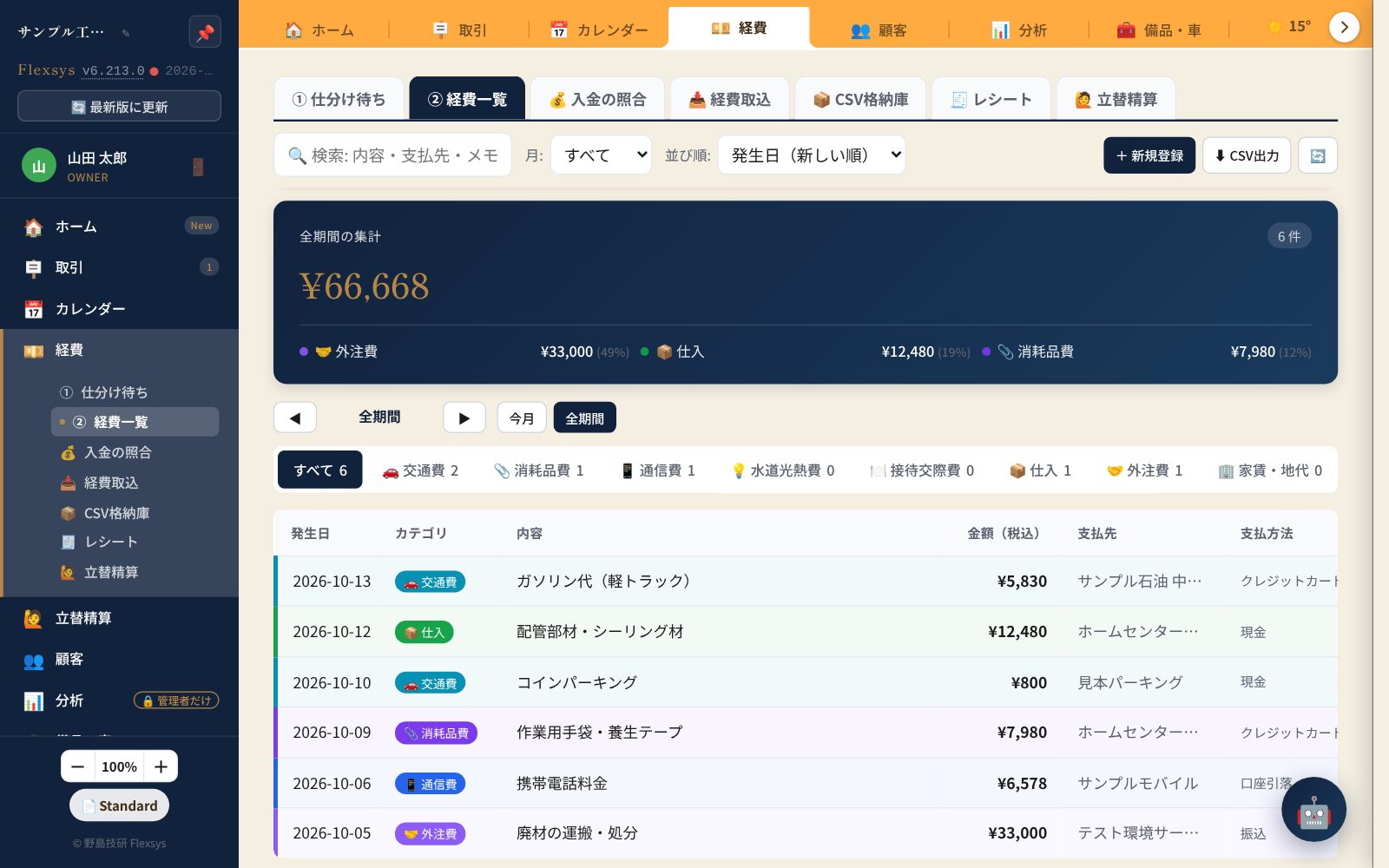
- Expenses: receipt AI-OCR, bank statement import, categorizing, reimbursements
- Monthly fixed costs and labor costs (hidden by permission)
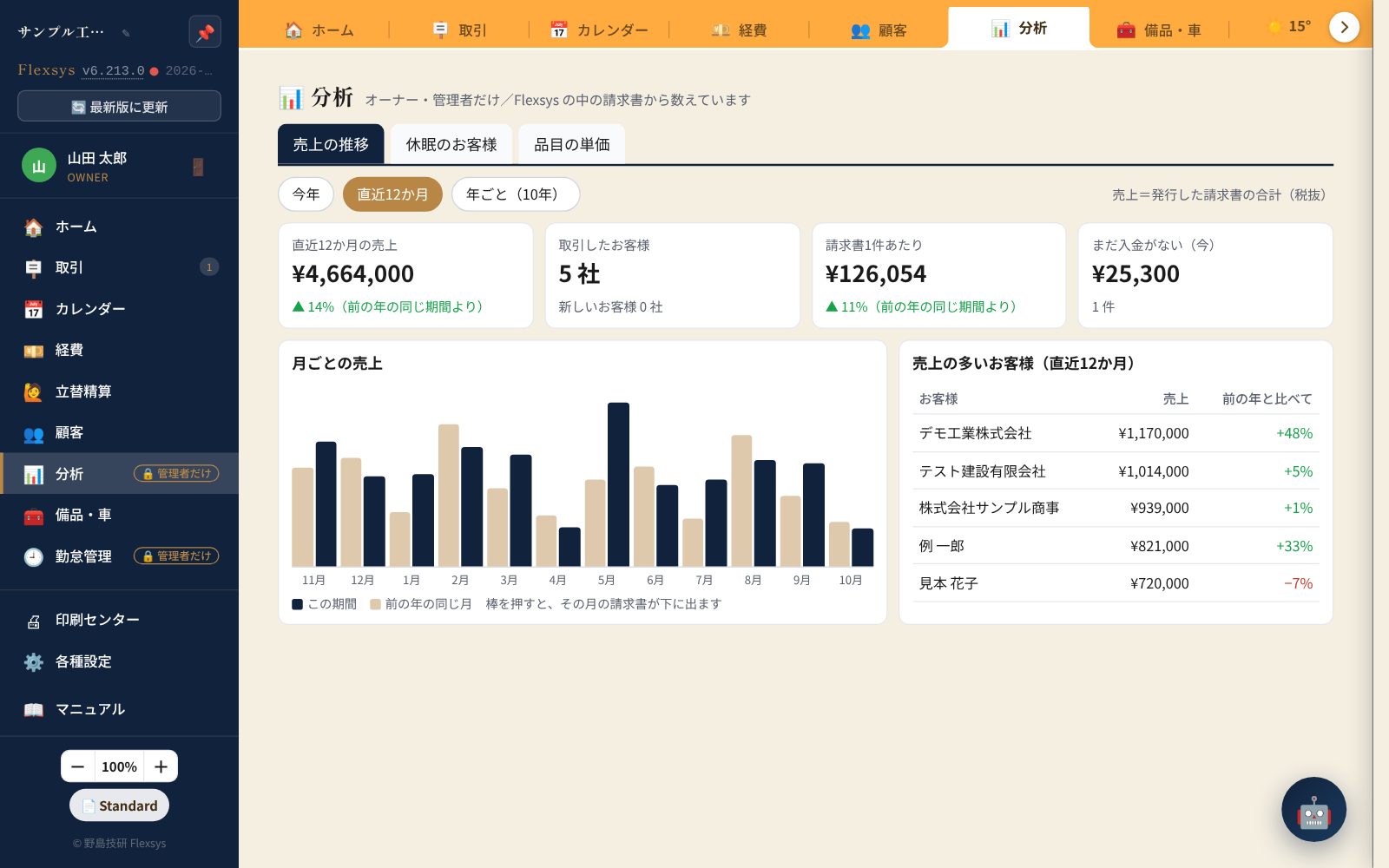
- Analytics (sales trends, results per customer) and accounting CSV
Settings & integrations
- Company info, logo, company seal, bank details, invoice registration number
- Members, departments and permission management
- Consumption tax rates, item master, cost allocation
- Two-factor authentication, audit log, trash
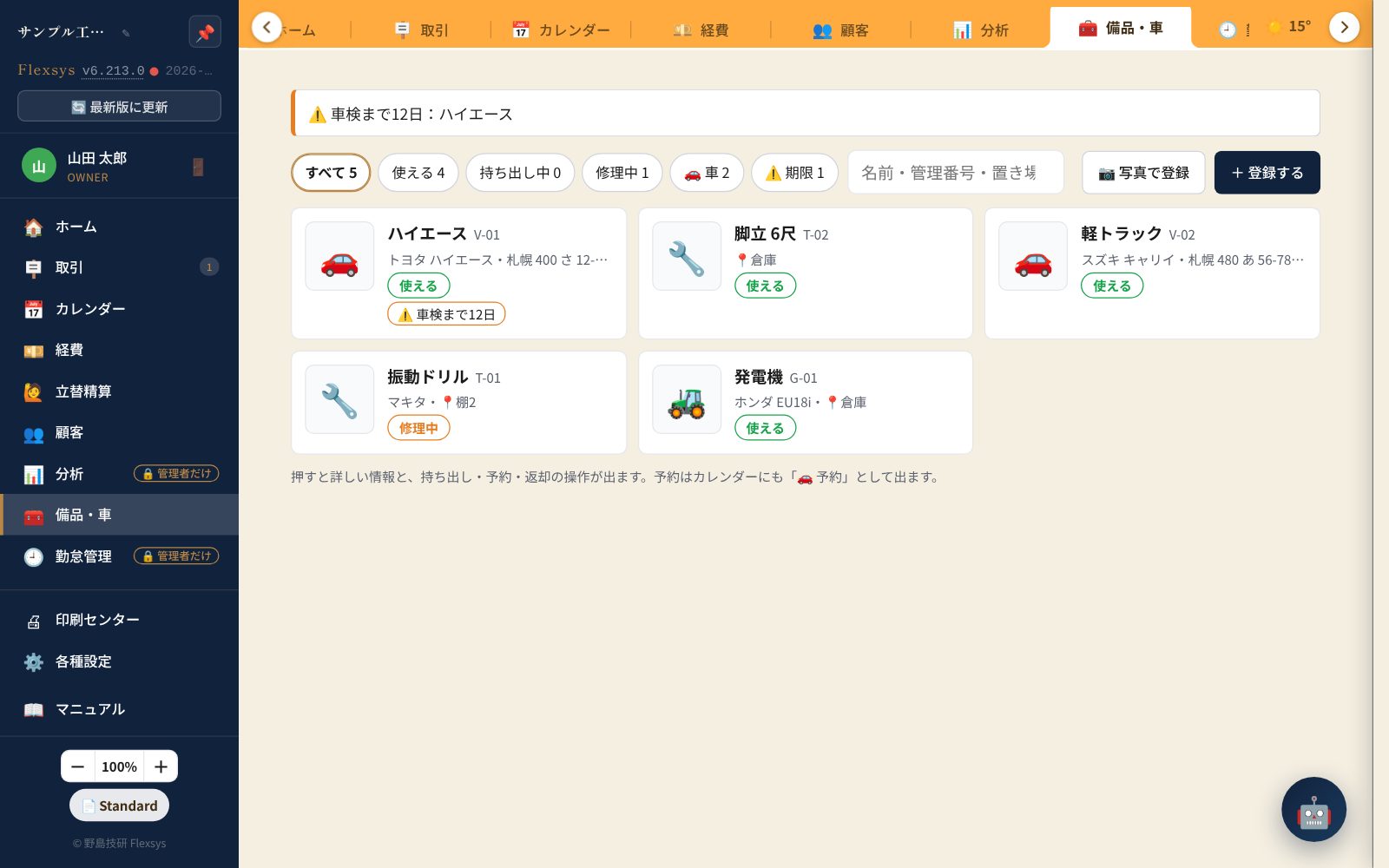
- Equipment & vehicle management (inspection deadlines)
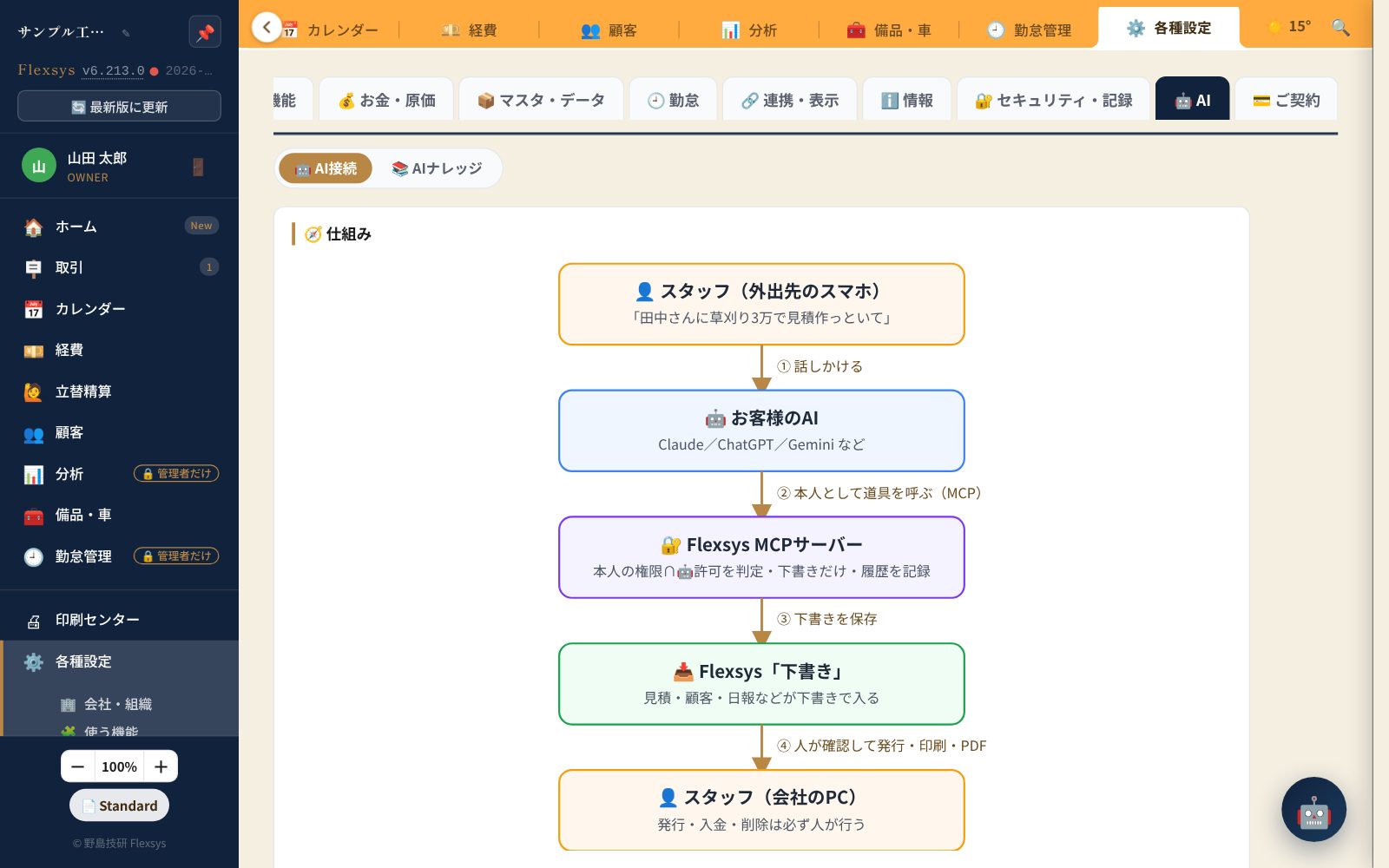
- AI connection (operate Flexsys from AI such as Claude)
The handyman "essentials,"
four carefully crafted features
Feature Spotlight
Estimates, invoices and receipts —
from numbering to PDF in one flow
Each document type gets numbers like EST-2604-001 assigned automatically. Numbering continues across months, so it's easy to follow in your accounts. Each job sits on the deal board as a single "card" and moves through estimate → work/delivery → invoice → awaiting payment → paid → done — the six boxes — just by pressing a "stamp."
- Estimate → invoice → receipt carried over automatically (no starting from zero each time)
- PDF download / print / time-limited share link / email
- One "collect on the spot" stamp issues the invoice (paid) and the receipt at once
- Locked after issue. To correct, cancel and reissue, so it never conflicts with your books
| Item | Qty | Amount |
|---|---|---|
| Shelf reinforcement (L2m × 4 boards) | 4 | 48,000 |
| Installation labor | 1 | 65,000 |
| Travel fee | 1 | 8,000 |
Just snap a photo of the receipt
and your expense entry is done
On your smartphone, take a photo of the receipt and the Anthropic API (Claude) reads the date, amount and tax rate and fills them in automatically. All that's left is choosing a category (materials, fuel, travel, etc.). Sorting receipts at month-end becomes almost effortless.
- Automatic completion by AI-OCR (Anthropic API)
- The receipt image is saved too (check it later)
- Link expenses to jobs to calculate profit per job
- Direct month-end CSV export for freee / Yayoi / Money Forward
14:28
Lumber L2m × 4...12,800
Screws 100 pcs....1,280
Paint 1L..........3,500
---
Subtotal..........17,580
Tax 10%...........1,758
¥19,338
Your schedule and your cash flow
on the same calendar
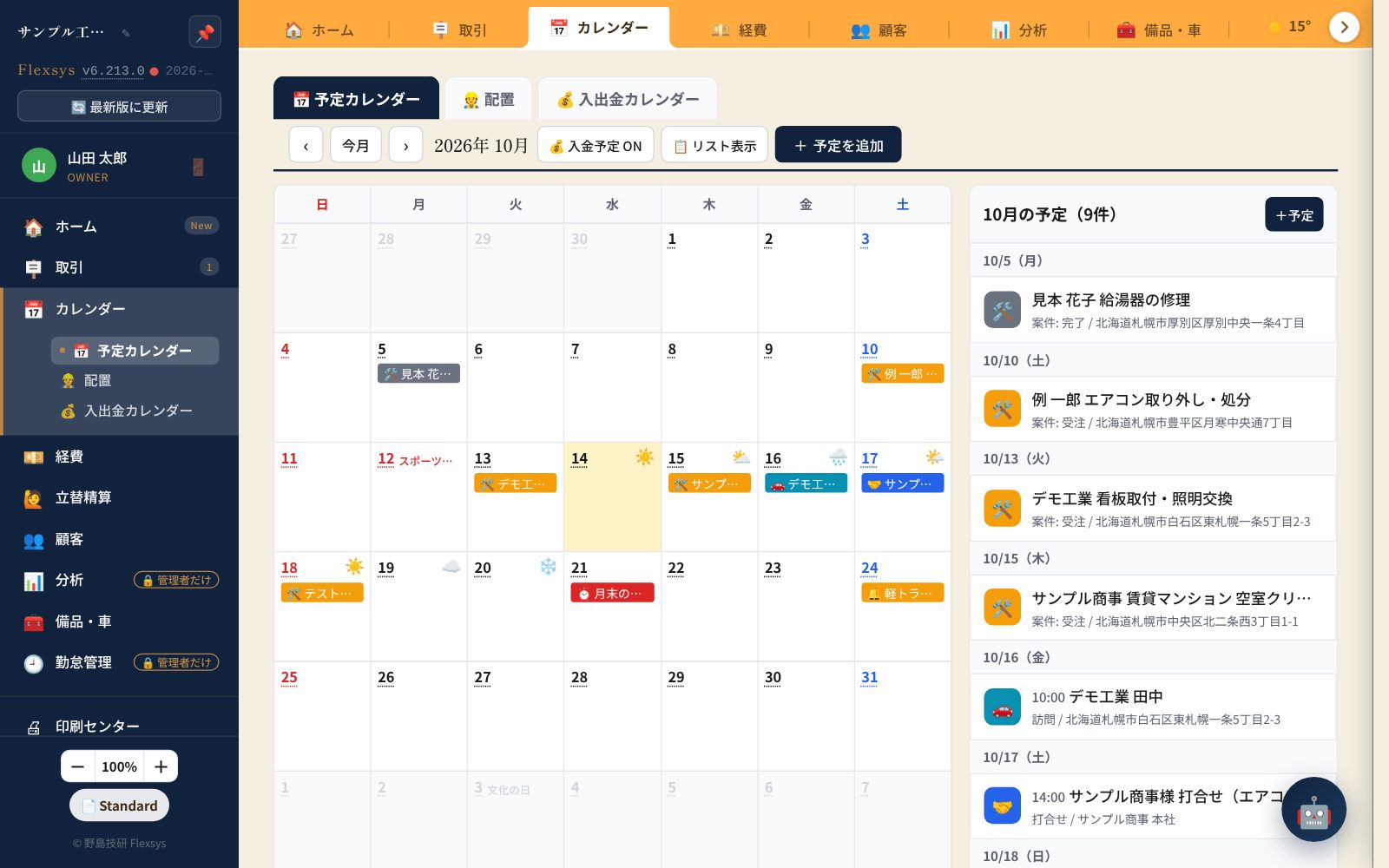
The schedule calendar shows jobs, scheduled work dates from estimates and task deadlines; the cash-flow calendar shows due dates of unpaid invoices, payments received, and planned payments such as expenses and rent. The month's expected income / received / payments / balance appear at the top, so your cash flow is clear at a glance.ICS sync lets you check your schedule from your phone or Google Calendar too.
- Two tabs: schedule / cash flow. Month on the left, list on the right (filter by date)
- Record payments and add expenses right from the cash-flow calendar
- Link a customer and the address and contact details fill in automatically
- View from external calendars via ICS (read-only URL)
Before and after photos —
to your customer with a single QR code
Upload job photos linked to a document, organized with "before" and "after" labels, and share them with customers via a time-limited link (7 days by default) or a QR code. Have the customer scan it with their phone on site and show them the photos right there.
- Link any number of photos to one document
- Organize with labels (before / after / damaged area, etc.)
- Share URLs issued with a 128-bit random token
- Expired links are disabled automatically (7 days by default)
What's
new
What's New · 2026
We use it in our daily work and keep adding the things that would help in the field. Except for attendance management, everything is available on every plan at no extra charge.
See the
real screens
Real Screens
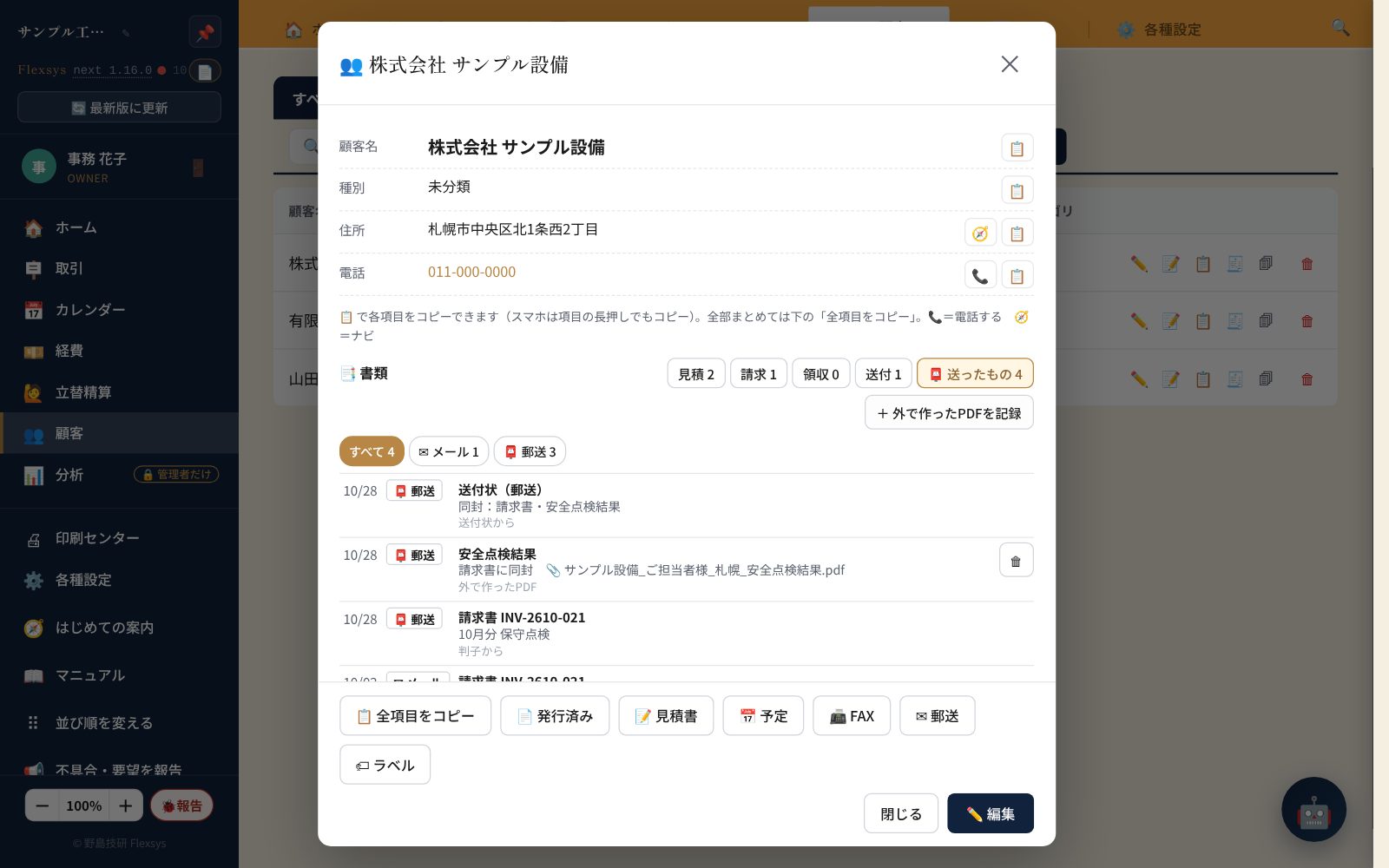
The screens shown here are all actual captures of the latest Flexsys (October 2026). They are not mockups or designs. To protect our customers' information, the data shown has been replaced with sample data.
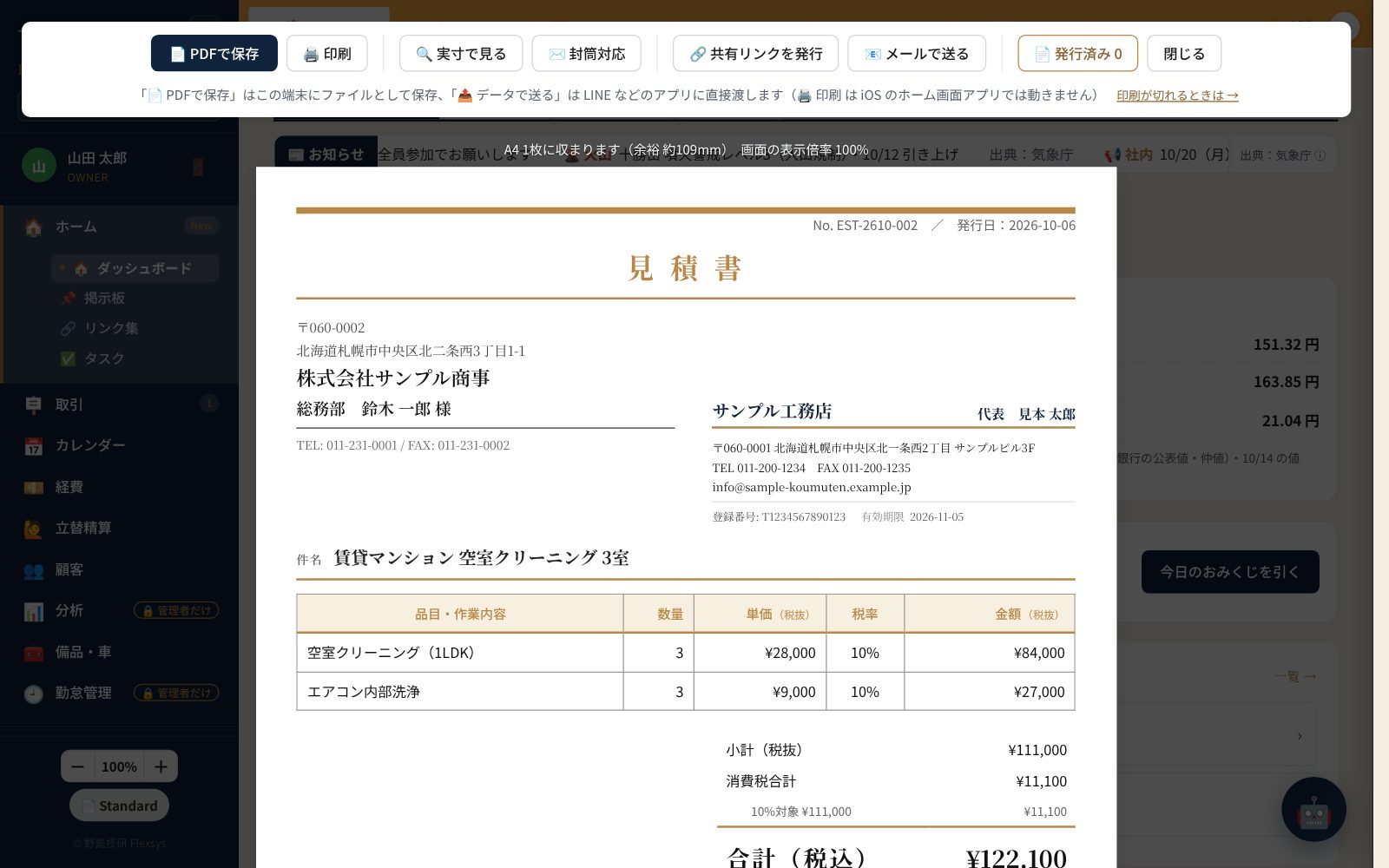
PDF preview of issued documents
This is an example of an estimate you can hand straight to your customer. Company logo, contact person, contact details and automatic pre-tax / tax-included / consumption tax calculation — all output at a quality you can hand over as is. From "Share / Send" at the top right, choose URL sharing, PDF download or sending via LINE.
Start your 90-day free trial → Try the demo
※ The first 90 days are free and no card is required. Only if you want to continue, register a card during the trial. If no card is registered by the end date, the account stops automatically and you are not charged.
Built so you can
use it with peace of mind
Technology & Security
Because this software handles money and customer information, we pay attention to the parts you don't see too. Here are the technical points in brief.
In the public security scan by Mozilla (the maker of Firefox), our business software Flexsys has earned the top grade, "A+". In Mozilla's survey, the share of A+ among the world's top 1 million sites was about 0.02% (1 in 5,000 sites).
- Every week, all our sites are checked automatically. If a grade drops, we fix it right away.
- We don't use PHP. Attacks that target holes in old technology simply don't apply.
- To keep suspicious programs from being injected into the screen from outside, we strictly limit what can be loaded (CSP).
- Your data is stored separately for each company and cannot be seen by other companies.
※ Anyone can verify these grades with the free public scans (observatory.mozilla.org, ssllabs.com).
An entrance protected
by two-step verification
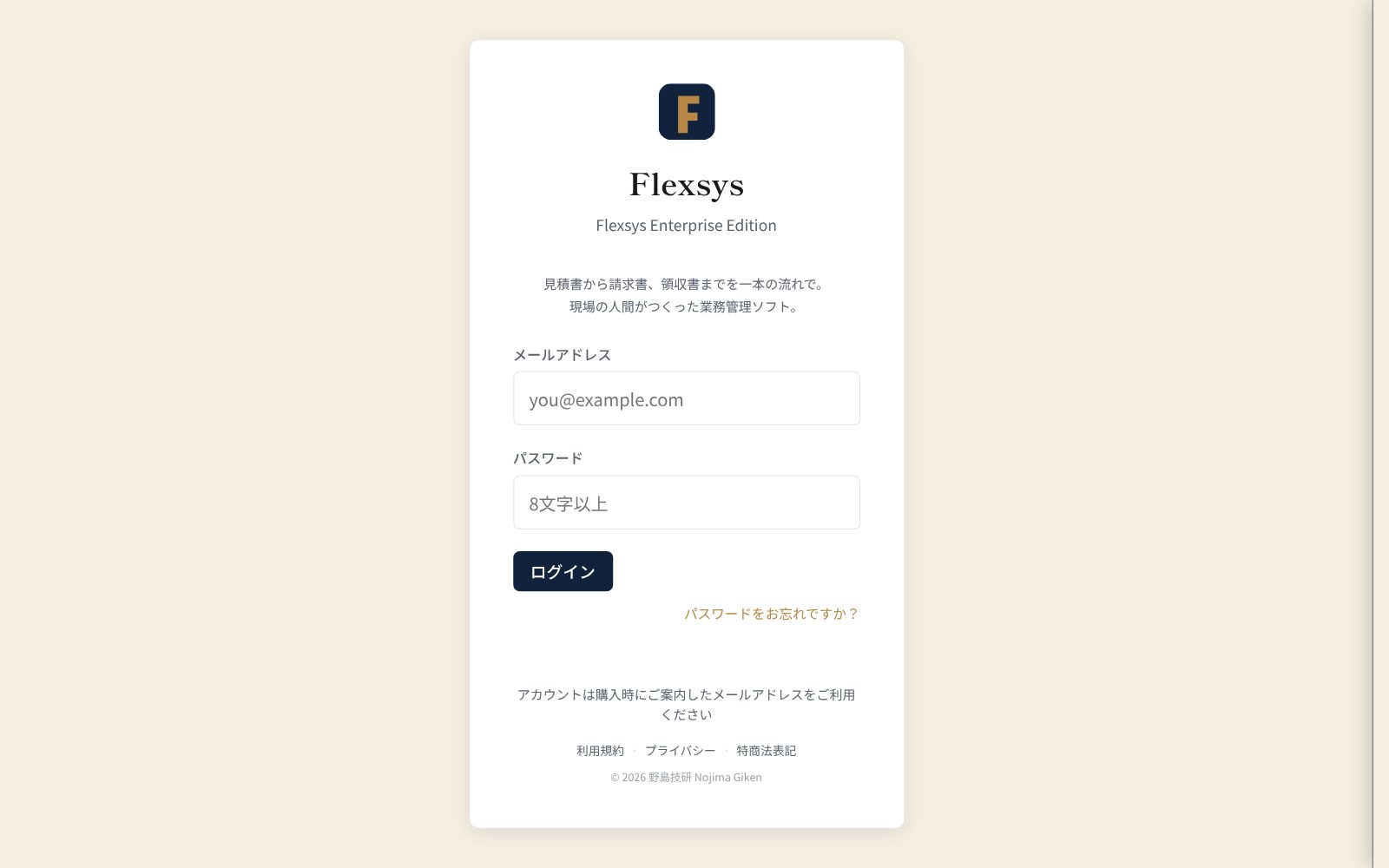
Log in with email + password; accounts are issued only by an administrator (no open sign-up).Two-factor authentication (authenticator app): when enabled, no one can log in even if your password leaks. Data is fully separated per company, and roles (owner / admin / member) control what each person can see.
- Firebase Authentication (email + password)
- Two-factor authentication (TOTP authenticator app)
- Tenant isolation + role permissions, audit log
Input that
never disappears
Writes are saved instantly to localStorage and then debounced to Firestore — a two-layer design. Even if the connection drops, the data stays on the device, so what you are typing is never lost.
- Cloud Firestore (asia-northeast1)
- 300ms debounce write
- Document chunking (every 100 docs)
Display
security
HTML escaping everywhere user input is displayed (currently 152 places). A strict CSP with 14 directives minimizes the risk of script injection.
- escAttr() at 152 locations
- CSP: 14 directives
- SRI: all CDN assets pinned to exact versions
Share links
designed for safety
Share URLs for documents and photos use 128-bit random tokens — practically impossible to guess. They expire after 7 days by default, and access is logged.
- crypto.getRandomValues (128bit)
- Expired links are rejected automatically
- Access logs stored in Firestore
PC, tablet
and smartphone
Fully responsive with 768px / 480px breakpoints. Smartphone on site, PC in the office, tablet on the road — switch seamlessly.
- Breakpoints: 768px / 480px
- aria-label in 67 places
- Touch-friendly UI throughout
Fast, resilient
infrastructure
Delivered globally by Cloudflare Pages, with availability backed by Firebase (Google) databases. Source code is managed on GitHub, and an update banner guides you to the latest version.
- Cloudflare Pages (CDN)
- Firebase (Google) backend
- GitHub source management
Settings and themes
fit your way of working
Customization
Not a packaged product, but
business software born in the field
Flexsys was built by Nojima Giken, a handyman business, for our own work. That's why it irons out even the small annoyances you only notice on real job sites.
Small companies and sole proprietors of a similar trade and size can use it just as it is.Item master, document sender and bank details, logo and company seal, menu order and more can be changed yourself in the settings screen. We are not currently accepting custom development requests (your requests will help guide future improvements).
Choose from 6 themes on each device: Natural (default), Dark, Navy, Pop, Sunset and Mint. For example, a calm Navy on the office PC and an easy-to-read Pop on your phone.
Pricing & who it's for
Pricing- ¥2,980/month (tax incl., up to 30 users)
- All features, AI features 100 uses/month (30/month during the free period)
- First 90 days free, no card required
- For 31 or more users, please contact us
※ The first 90 days are free and no card is required. Only if you want to continue, register a card during the trial. We email you 30, 7 and 3 days before it ends, and if no card is registered by the end date, the account stops automatically (no charge).
How it differs from other systems
ComparisonPeople comparing field business management systems often stumble on the following three points. Flexsys answers all three head-on.
| What to check | Typical field management systems | Flexsys |
|---|---|---|
| Initial cost | Many products cost ¥100,000–200,000 | ¥0 |
| Core features | Estimates and invoices are sometimes paid options | All features included in the monthly fee / no extra charge |
| Can you try it free? | Some products can't be touched without a sales meeting or quote | No-sign-up demo+90-day free trial (no card required) / the real screens as they are |
| Monthly fee | Per-user pricing — the more people, the higher the cost | ¥2,980/month / flat rate up to 30 users |
| Intended size | Mainly mid-to-large construction companies | 1–30 people / from solo tradespeople |
| Strengths | Centered on process and construction management | Estimates, invoices and receipts / from field work to payment in one flow |
※ The left column shows general trends based on company information and comparison articles published as of August 2026. Conditions vary by product, so be sure to check each company's latest information when comparing.
Getting started
Our ProcessTry it without signing up
Press a button to use the real screens of a sample company, "Sample Komuten." Try the estimate → invoice → payment → receipt flow as it is. No email address or card needed (anything you enter is deleted automatically after 24 hours).
90-day free trial
After you apply (no card registration needed), we'll email you login instructions. You can try every feature, including AI and email, with your own company information for 90 days (AI features limited to 30 uses/month during the free period). We email you 30, 7 and 3 days before it ends.
Keep using it
The company information, customers and documents you entered during the trial carry over as is. To continue, register a card during the free period under "Settings → 💳 Subscription." From the day after the end date you can keep using it for ¥2,980/month (tax incl.). If no card is registered, it stops automatically and you are not charged.
※ Questions about operation are handled by email and LINE. We are not currently accepting custom development.
FAQ
FAQ① No-sign-up demo: "Try it without signing up" lets you use the real screens of a sample company right away (no email needed; anything you enter is deleted automatically after 24 hours; some features such as AI and email are unavailable).
② 90-day free trial (no card required): https://nojima-giken.com/trial/ — apply here and we'll send you a login email address and password. You can try every feature, exactly as in the live environment.First 90 days free, no card required. Only if you want to continue, register a card during the trial. If no card is registered by the end date, the account stops automatically and you are not charged.
Demo & documents
Try & LearnTry it without signing up
Use the real screens of a sample company right away.No email needed; anything you enter is deleted automatically after 24 hours. After that you can move on to the 90-day free trial (no card required).
Try Now → ManualUser manual (web)
An operation guide written so first-time users can finish their work on their own. 20 chapters covering the deal board, estimates, invoices and receipts through expenses, customers and permission settings.Updated continuously as the product evolves.
Read Online → SpecSystem specifications
Detailed documents for technical staff — tech stack, data structure, security design, full feature set and more. Contact us and we'll send them to you.
Contact Us →Contact
Contact
Consultations and estimates are free.
Can you fix something this old? Can I ask for something like this?
Feel free to ask — even small questions.
※ We are often on site and unable to answer the phone, so the inquiry form or LINE is the most reliable way to reach us. We check between jobs and reply in order.
Inquiry form FORM
Flexsys is a business management system developed by Nojima Giken, based at a garage workshop in Sapporo, Hokkaido, for its own handyman business. Because we use it every day, improvements come fast and it never loses touch with the field.
It is also the result of putting Nojima Giken's philosophy — "not combining off-the-shelf products, but investigating, thinking and building" — into practice in software. We'd be glad if it helps anyone who also wants to make a small company's paperwork even a little easier.
Combining human ideas and know-how with those of AI, we will keep evolving. Shall we build your own "original business software" together?